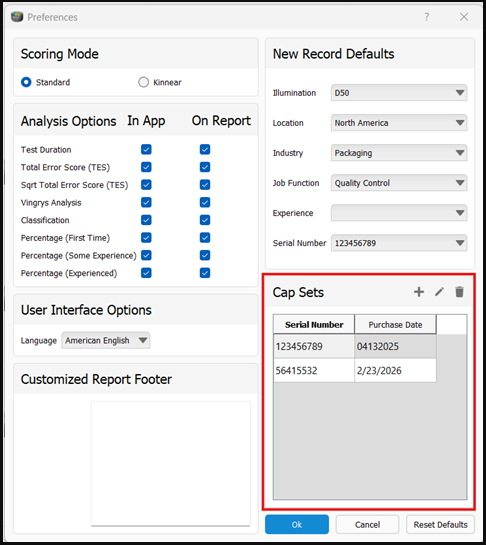
Add your physical test’s serial number and first-use date in the software preferences.
- Open File > Preferences to launch the Preferences window.
- Enter the test’s serial number and date of first use.
- Select the serial number from the Serial Number drop-down list on the New Hue Test or View/Arrange tab.
See the screenshot below for an example.